Assista IDE - Feature
Local URL to Public: Share Your Local Odoo
Share the Odoo running on your computer. Local URL to Public gives your local port a temporary public HTTPS link, with no account and no router settings. Stop it whenever you like.
How it works
Local URL to Public, step by step
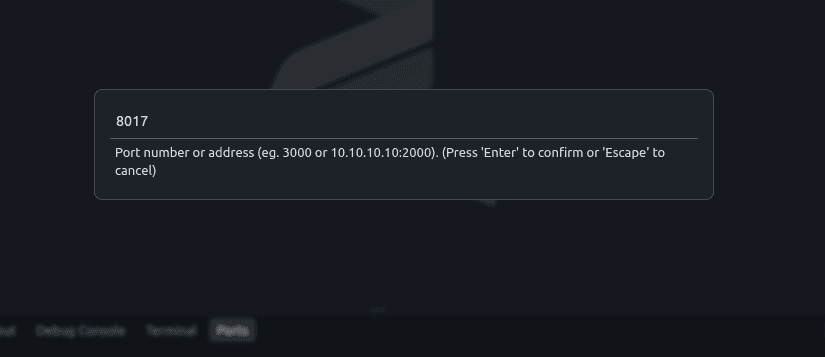
Step 01
Choose the port to share
Make sure Odoo is running on your computer. Click Deploy in the title bar and enter its port, for example 8069.
Deploy > port 8069
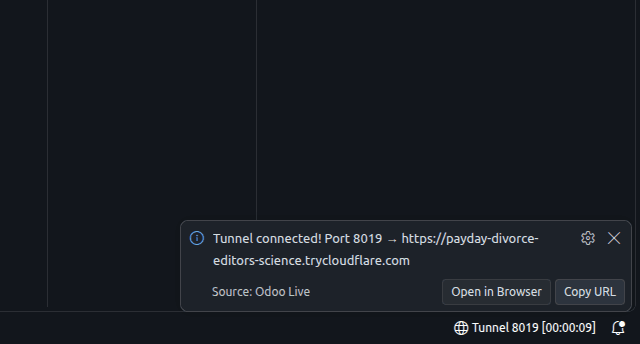
Step 02
Get a public link
A moment later you get a link that ends in trycloudflare.com. Anyone with the link can open your local Odoo.
localhost:8069 -> https://...trycloudflare.com
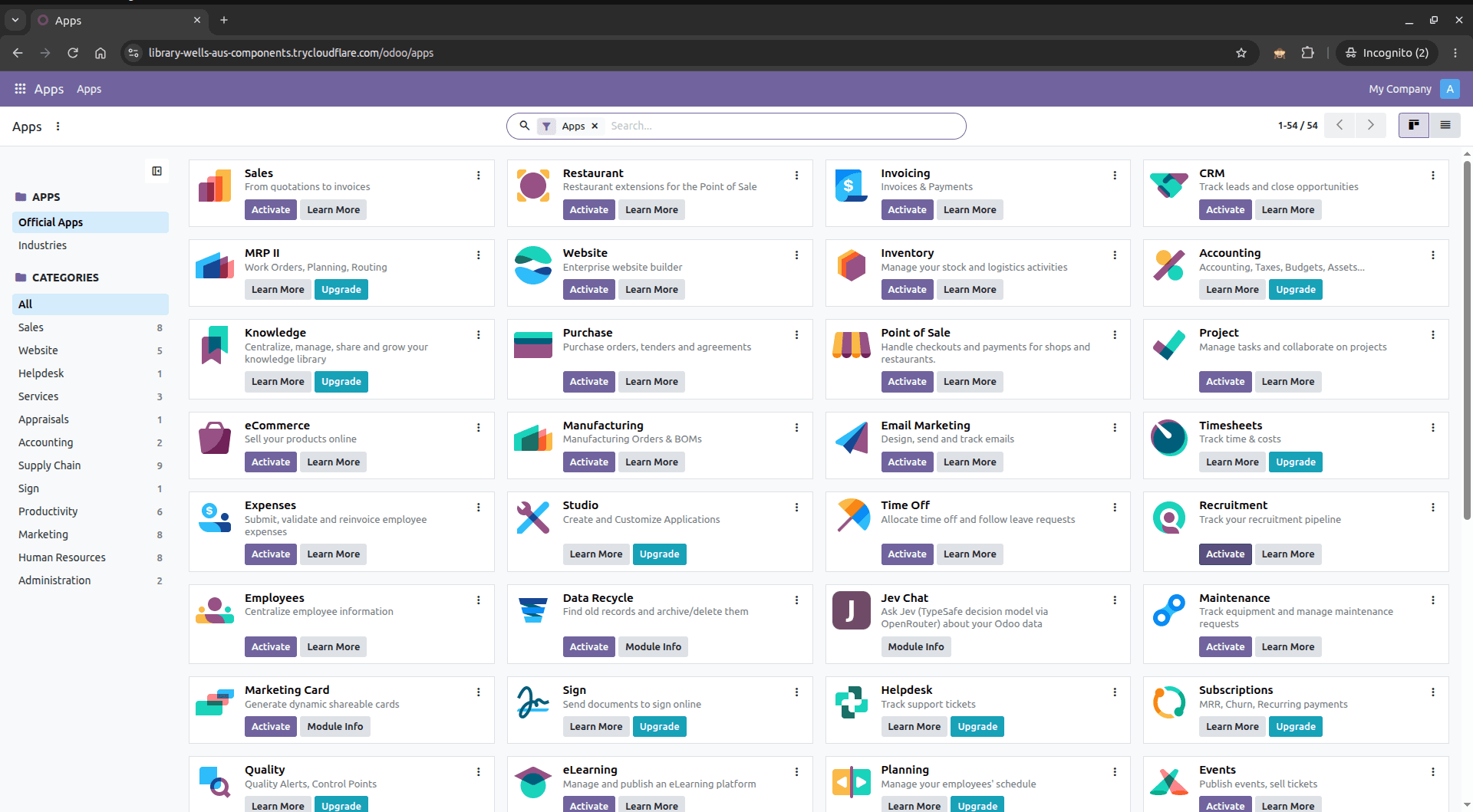
Step 03
Share it, then stop it
Send the link to a teammate or client. The link is random and changes each time you start it. Click Stop Forwarding and it stops working.
Assista IDE
More from Assista IDE
Assista Coder
The AI agent built into the IDE. Describe what you need and it writes and edits Odoo code with you.
One-Click Environments
Pick an Odoo version. Assista downloads Odoo, sets up its Python packages and prepares debugging.
Code Templates
Type a short keyword for Odoo model and view code, or right-click to create a whole module.
Module Marketplace
Search Odoo modules, filter by version and category, and download them without leaving the IDE.
Module Reviewer
Check a custom module for problems and get a quality report. Runs on your machine and uses no AI tokens.
Built-in Browser
Open your running Odoo in a browser inside the IDE and check changes without switching windows.
Ready to try Assista IDE?
Windows (x64) - macOS (Apple Silicon) - Linux (Snap) - Odoo 11 to 20