Product - Assista X
Your business companion for Odoo.
Elevate your Odoo workflows with AI-powered tools that adapt to your team and workflow. Secure by design, precise in execution.
The toolkit
Your business data in Odoo, one question away
Ask Assista X anything about your business (it already knows your Odoo data) and get instant answers. No menus, no filters, no waiting on reports.
Conversational querying
Ask questions in plain English to search, group and retrieve records from Odoo without clicking through menus.
Interactive visualizations
Instantly turn raw Odoo query results into charts, graphs and structured tables.
Cross-module analysis
Trace root causes across Sales, Accounting and Inventory instead of checking each module separately.
Custom addons sync
Scan and index your custom Odoo modules so Assista X understands your custom fields and tables.
Features
From question to answer, instantly
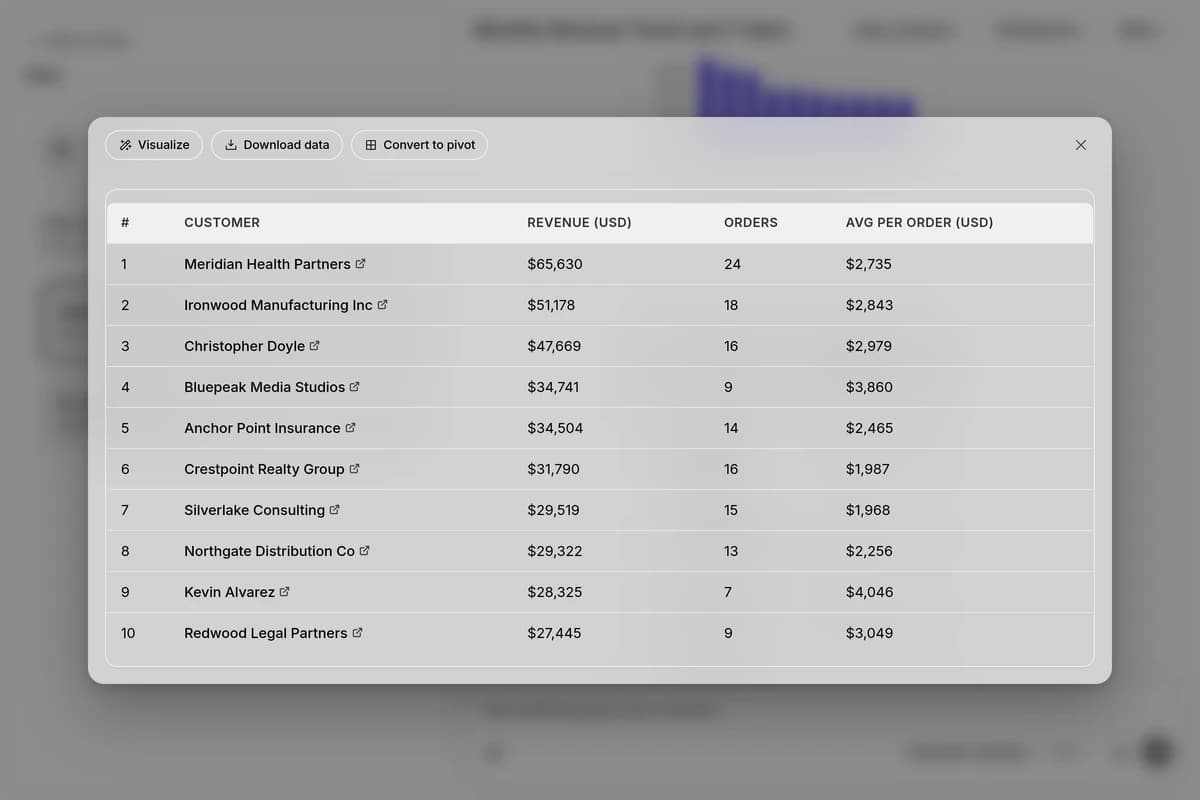
The chart is just where it starts.
Click a row to see what's behind it, group the data differently, change the chart's colors, or see where a trend is heading, all in the same answer.
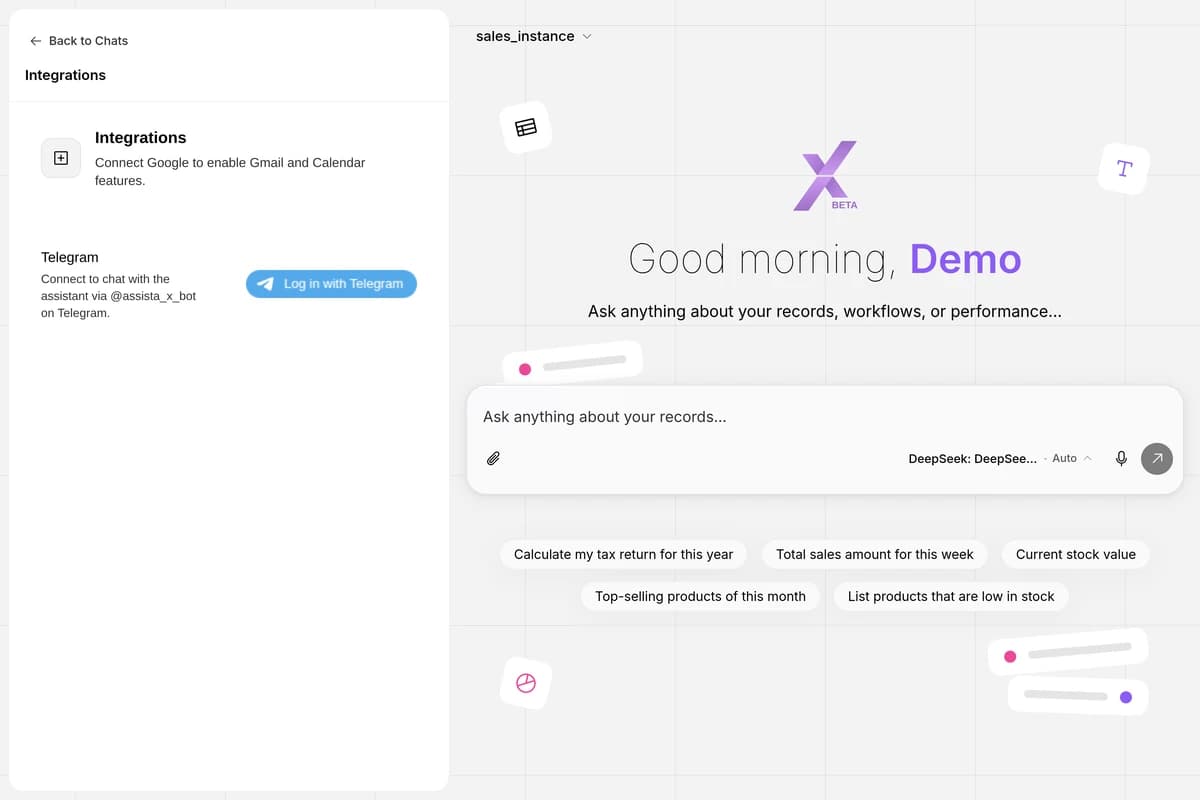
Assista, wherever you're working.
Pop the chat into a floating window that stays on top while you work in Odoo, or message it straight from Telegram. Same live data, same answers, no extra tab required.
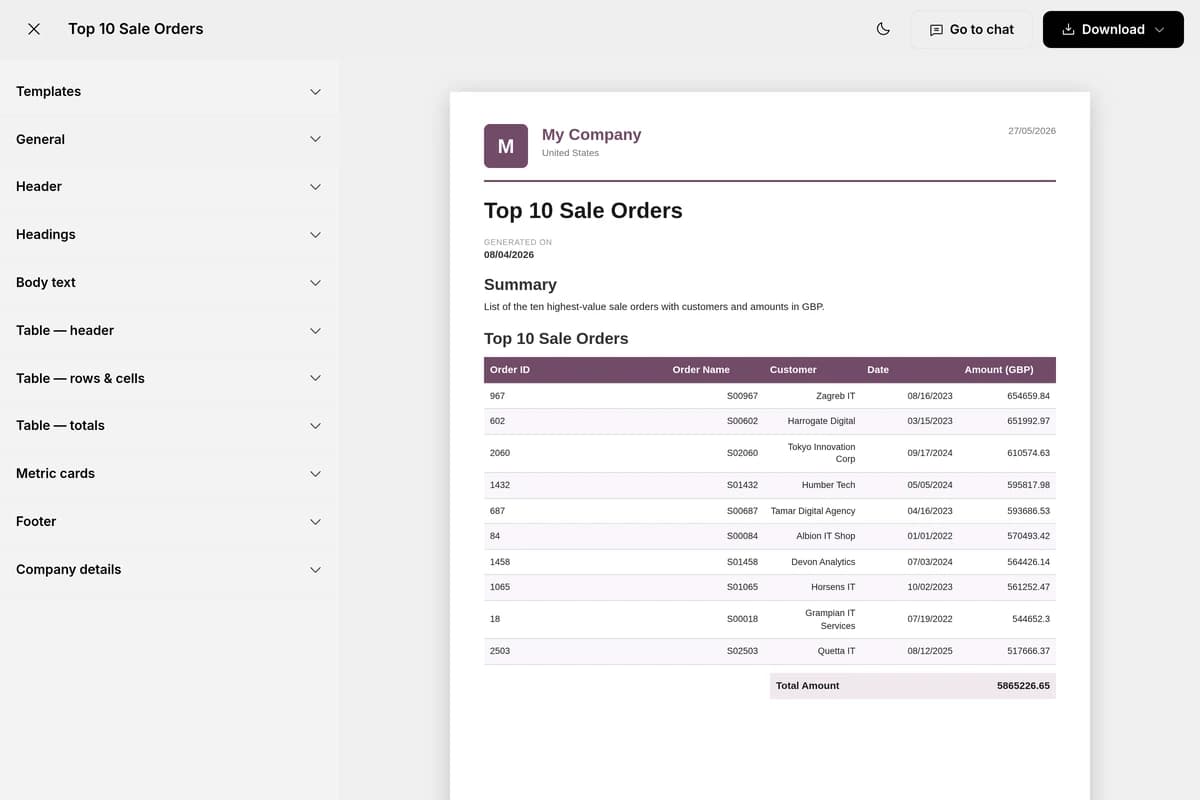
The report your boss asked for, done before you finish reading this.
Aged receivables, sales by rep, vendor spend: every report you used to build manually is now one question away, formatted and ready to share.
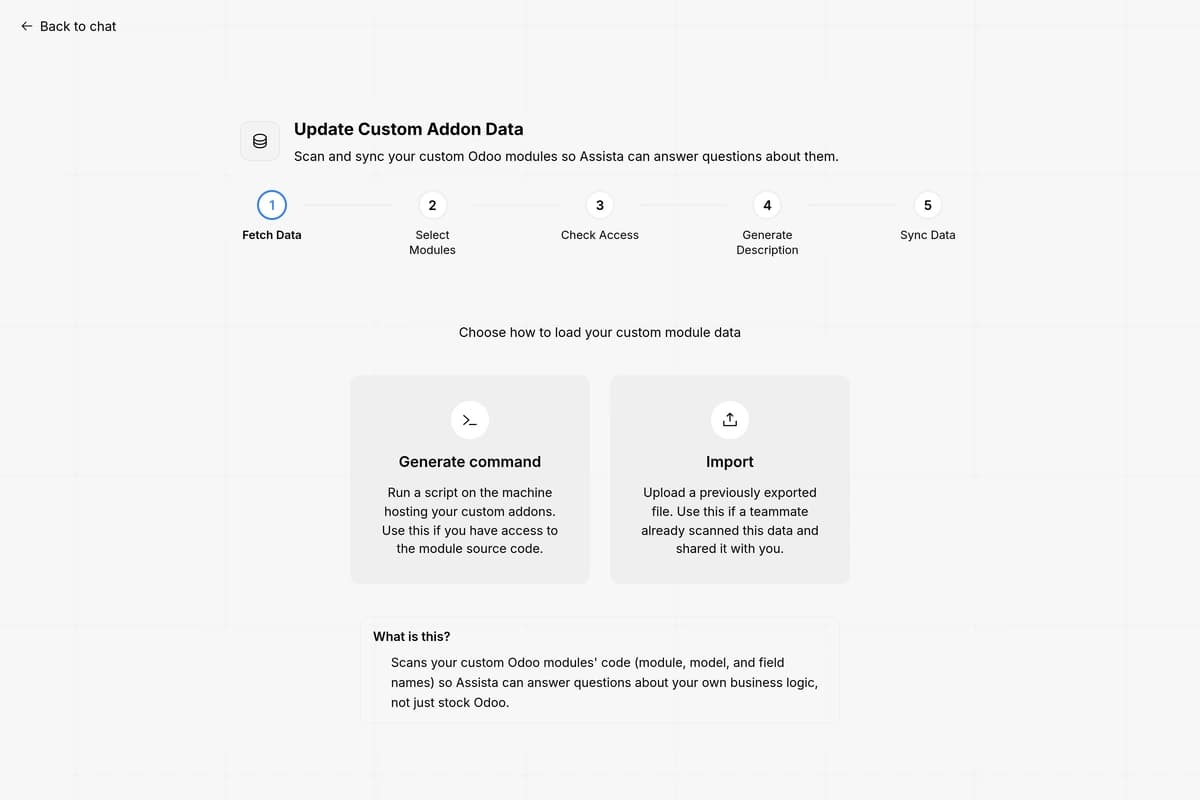
Custom modules. No longer a blind spot.
Point Assista at your custom addon source once. It's read via static parsing, nothing is ever executed, and no business data or records ever leave your machine. Review what it found, and from then on those modules answer questions just like stock Odoo.
Who it's for
Built for every role in your team
Sales Manager
"I spend 30 min every Monday pulling pipeline numbers my manager asks for in 2 seconds." Ask which deals haven't moved in two weeks, pull your top customers by revenue this quarter, or check the team's pipeline by stage, all answered before your Monday standup starts.
HR Manager
"I find out about leave clashes the day they happen, not the week before." Ask who's on leave this week, check pending leave requests by department, or find employees with unsubmitted timesheets, answered in seconds, no digging through HR records.
Accountant
"Month-end takes twice as long because I build the same reports manually every time." Ask for overdue invoices past 30 days, total outstanding receivables, or vendor bills due this week, and get the exact number without building a report first.
Warehouse Manager
"I open three screens just to answer one stock question." Ask which products are below reorder point, check stock value by location, or find items with no movement in 60 days: one question instead of three screens.
Purchase Manager
"I chase vendors for delivery dates I should already be able to see in Odoo." Ask which POs are past their delivery date, see top vendors by spend this month, or pull every pending RFQ. No more chasing vendors for numbers you already have.
Project Manager
"I find out tasks are overdue when someone tells me, not when I check." Ask which tasks are overdue this week, check hours logged per project, or find projects with no activity in seven days, and know before someone has to tell you.
Security
Connects as you, not around you
Assista X signs in with your own Odoo credentials and respects your exact permissions and row-level rules. If you can't see it in Odoo, Assista X can't either. Every connection defaults to read-only; write access is opt-in and scoped to what you already control.
Read-only by default
Every connection starts read-only. Write access is opt-in.
Your permissions, respected
Your Odoo access rights and record rules apply to every answer.
No training on your data
Your Odoo data is used to answer you, never to train models.
Credentials encrypted at rest
Your Odoo connection details are stored encrypted.
No. You only need your regular Odoo login credentials and your instance URL. No admin access or IT setup is required on the Odoo side.
Assista X uses your own Odoo credentials, so it can only access what you already have permission to see. Your Odoo access level applies directly, nothing more.
Anything about your live Odoo data across sales, invoicing, inventory, HR, purchasing and projects. For example: "Show overdue invoices over 30 days", "Top customers by revenue this quarter", or "Which products are below reorder point?"
By default Assista X is read-only. If you enable write access, it can take actions such as creating or updating records, always limited to what your own Odoo permissions allow.
Assista X supports Odoo 16 and above, in both Community and Enterprise editions. Check Settings > About in your Odoo to confirm your version.
Assista X queries your Odoo server live. It never syncs or keeps a separate copy of your Odoo database. To answer you, only the relevant data is sent to the AI provider you configure (such as OpenAI or Anthropic) using your own API key; it is never sold or shared with anyone else. Your conversation history is saved to your account so sessions stay continuous, and your credentials are encrypted at rest. The Assista X privacy policy at x.cybrosys.com/privacy has the full details.



Ask your Odoo anything.
Instant answers, charts and reports. No menus, no filters.