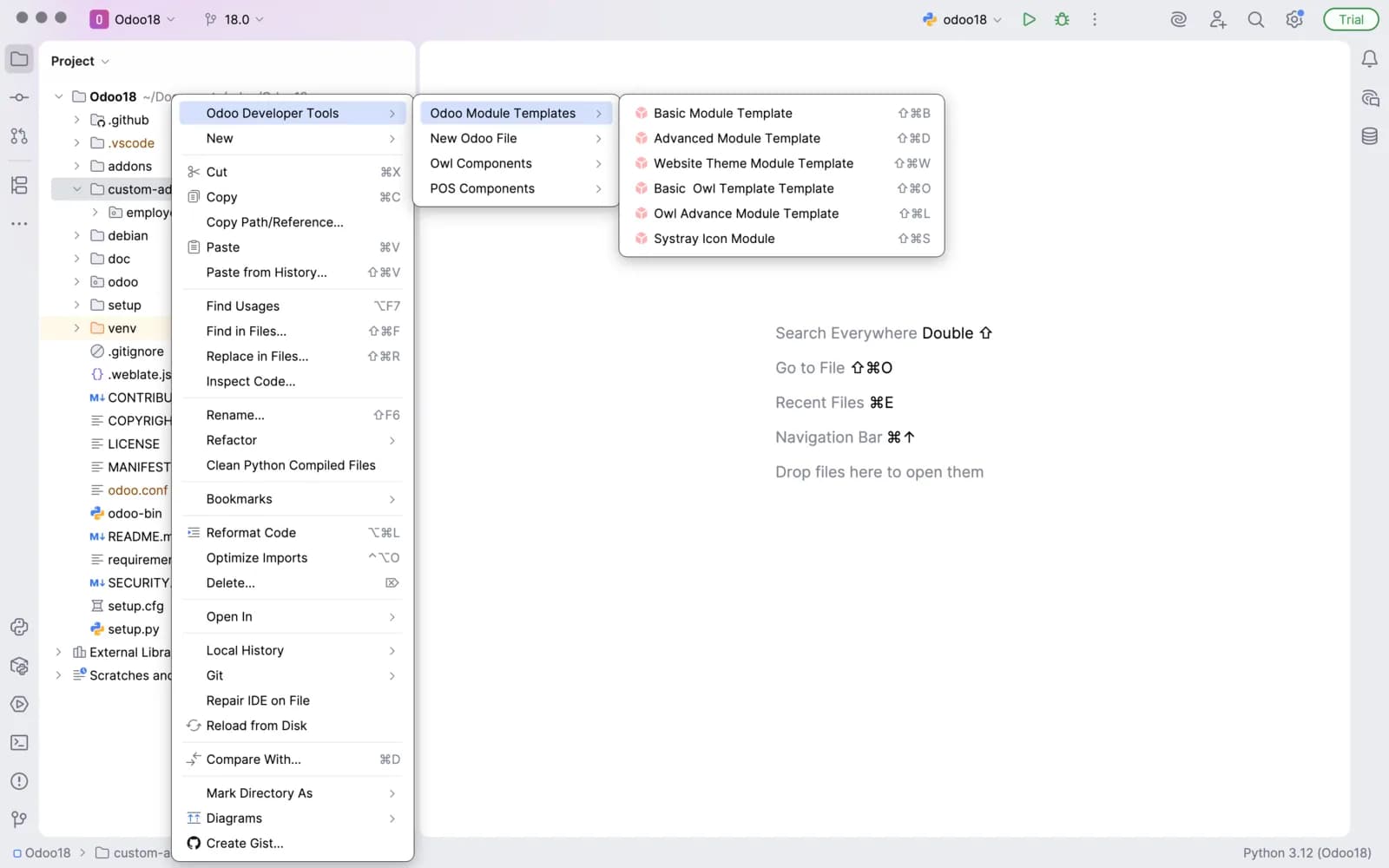
Odoo module templates help you start development faster with a clean foundation. Following best practices across your Odoo applications.

Start development faster using well-structured Odoo module templates. They help maintain consistency, improve readability, and ensure your custom modules follow best practices while staying easy to extend and maintain.
Click HereOWL components help you design dynamic user interfaces with structured logic. Maintainable views that scale smoothly across your Odoo applications.
Manage component state and UI behavior from a single structured view. Track data flow, observe interactions, and debug efficiently to keep your OWL applications responsive and reliable.
Click Here
Track every sale and transaction from a unified POS interface. Assista delivers live insights into order flow and ensures fast, reliable checkout performance.

View a detailed breakdown of every POS transaction your system handles. From payment status to processing speed and maintain smooth checkout operations.
Click HereFind answers to common queries about performance metrics, real-time insights, and how Assista helps you monitor and optimize your operations.
Odoo Helper for PyCharm enhances your development experience by providing smart tools, shortcuts, and helpers tailored for Odoo development directly inside the PyCharm IDE.
It offers intelligent code navigation, model and field suggestions, XML and Python helpers, and faster access to common Odoo structures to improve coding efficiency.
Yes. The helper provides real-time suggestions, validations, and hints as you write code, helping you catch issues early and write cleaner Odoo modules faster.
Absolutely. By guiding you with accurate syntax, model references, and structure awareness, the helper minimizes common mistakes and improves overall code quality.
Yes, you can configure features, shortcuts, and suggestions to match your workflow, ensuring a smooth and personalized Odoo development experience inside PyCharm.