Assista IDE
The only tool you need for Odoo development.
Assista is a suite of Odoo developer tools by Cybrosys Technologies: an AI-powered Odoo IDE with a coding agent that knows Odoo's framework, plugins for VS Code and PyCharm, and managed Odoo hosting.
Download for










Plugins supported on






Trusted by developers
15,139+ downloads across Assista's tools
633+
Assista IDE downloads

8,313+
VS Code plugin downloads

6,193+
PyCharm plugin downloads
What's inside
One IDE. All Odoo.
Everything Assista brings to your Odoo workflow, in the editor you open every morning. Choosing between tools? See how AI coding tools for Odoo compare.
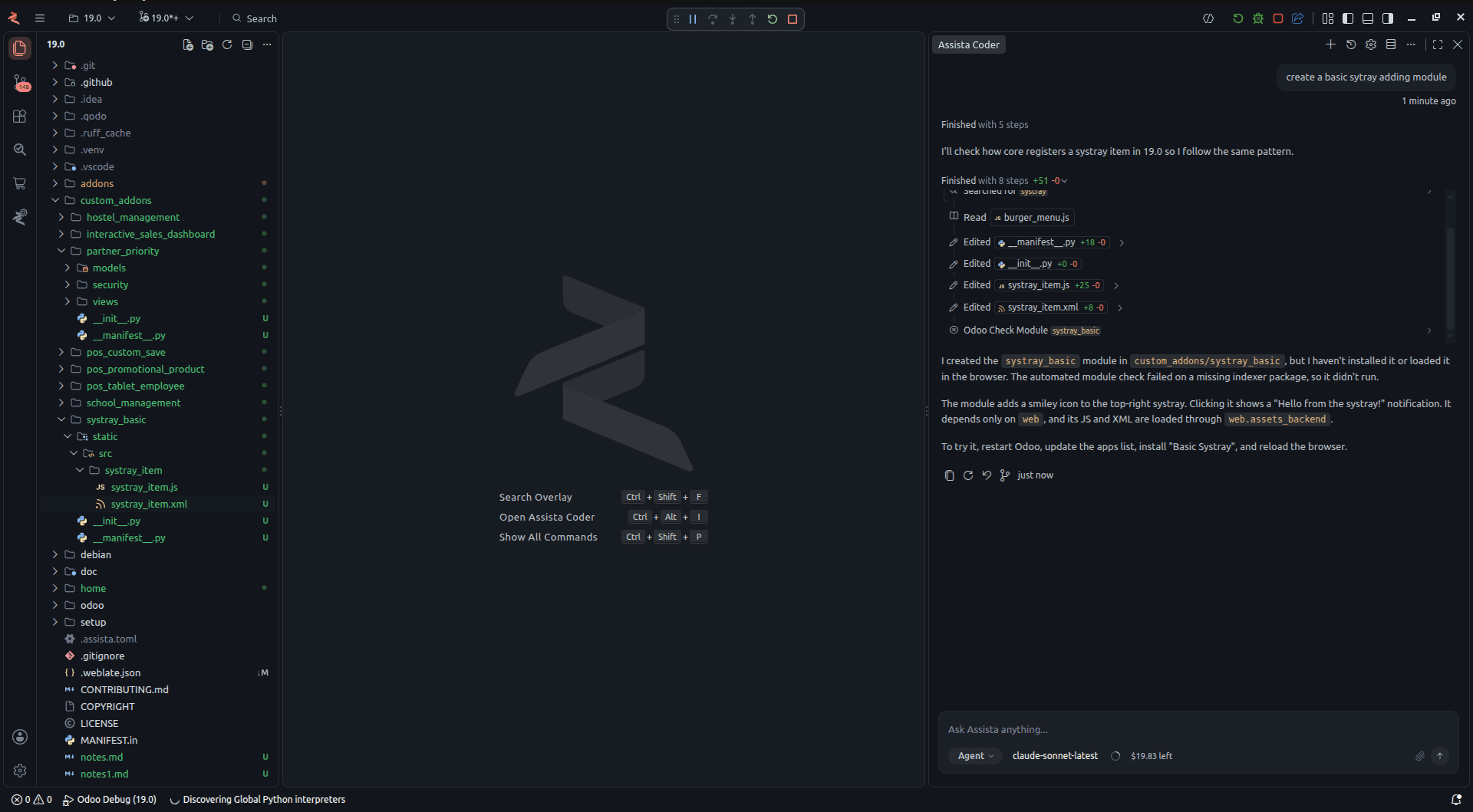
01 - Assista Coder
An AI agent that knows Odoo.
The AI agent built into the IDE. Describe what you need and it writes and edits Odoo code with you.
How Assista Coder works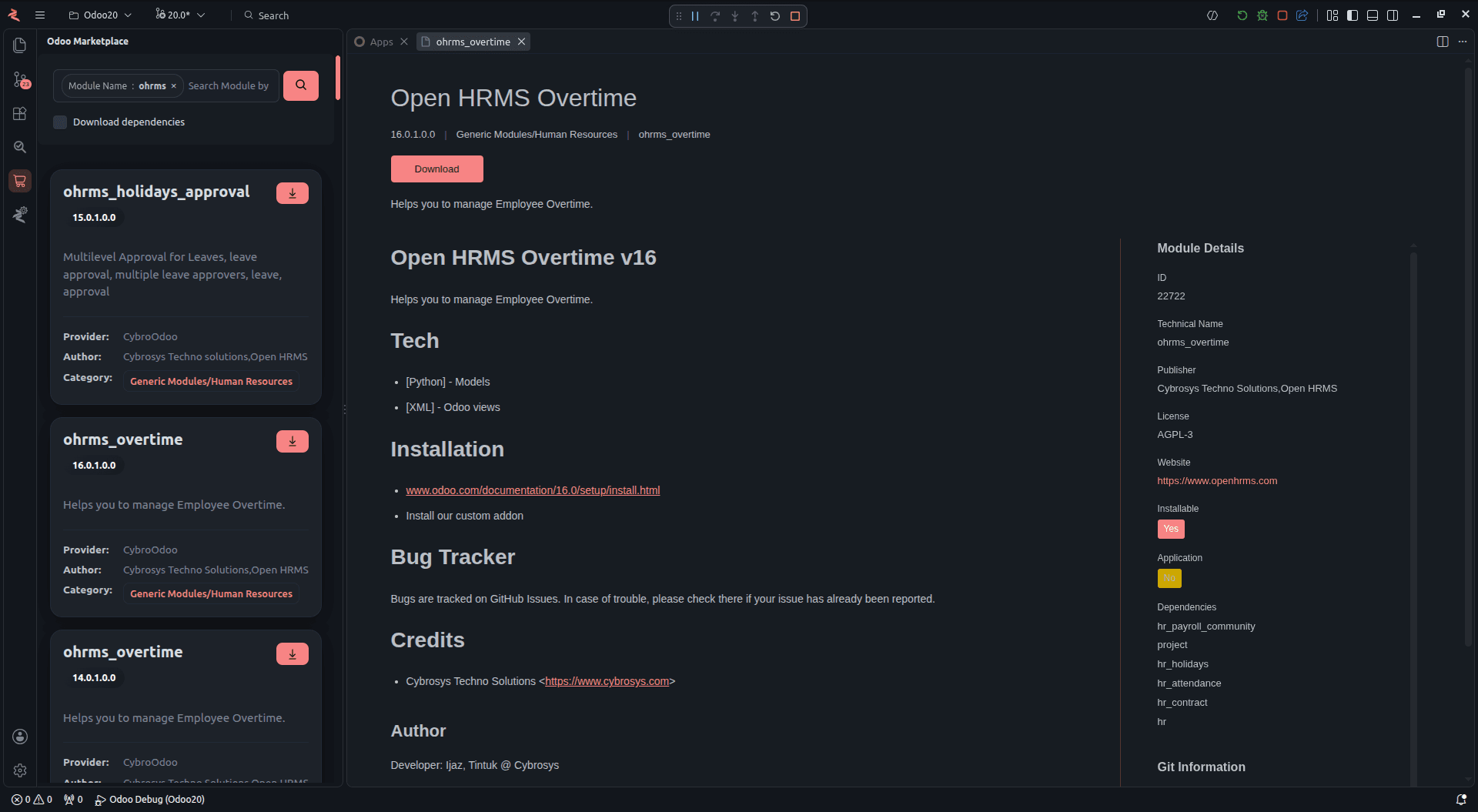
02 - Module Marketplace
Find an Odoo module without leaving the IDE.
Search Odoo modules, filter by version and category, and download them without leaving the IDE.
Explore the Module Marketplace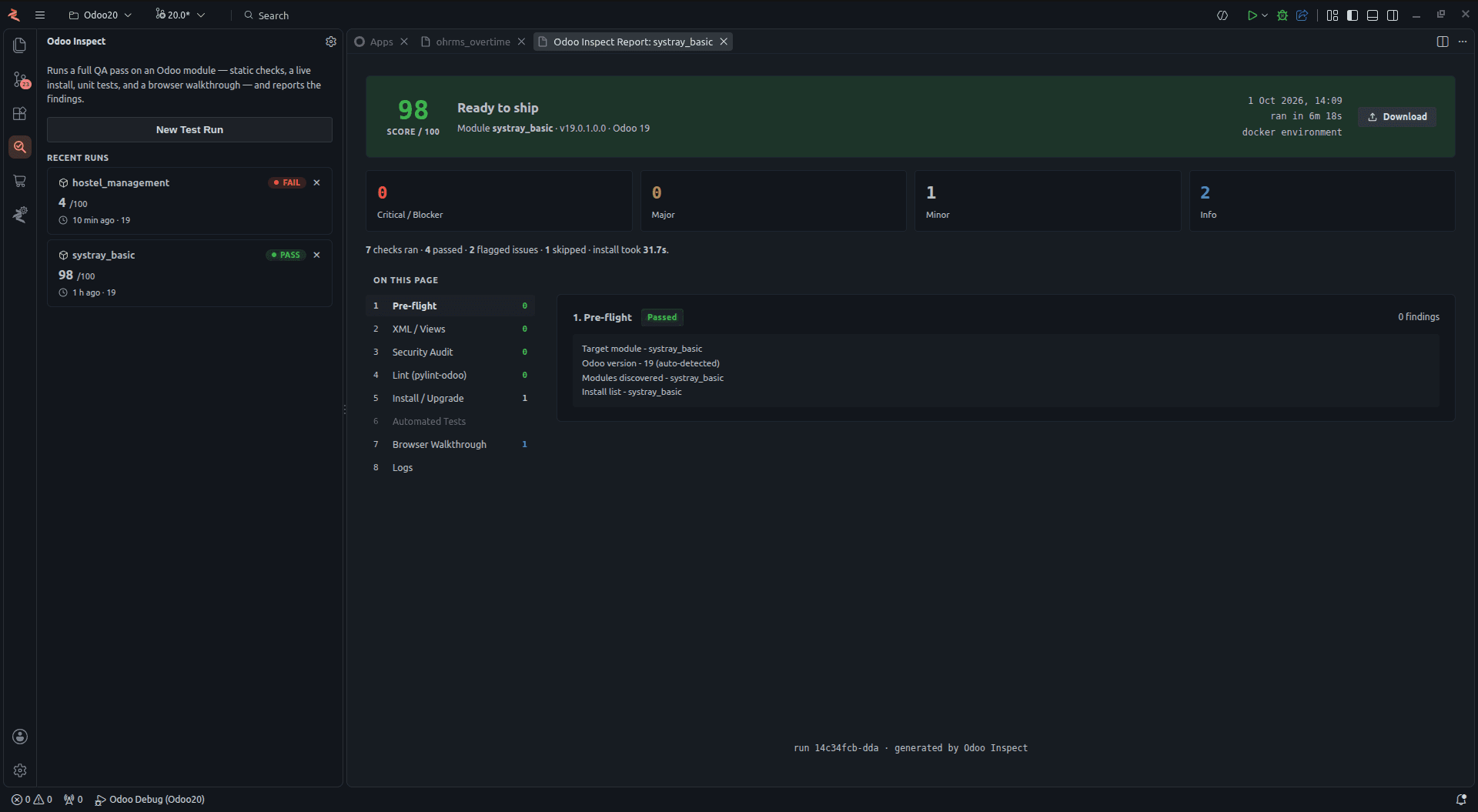
03 - Module Reviewer
Check a module without spending AI tokens.
Check a custom module for problems and get a quality report. Runs on your machine and uses no AI tokens.
See how the Module Reviewer worksThe Assista ecosystem
From first line to running instance.
Six products: Assista IDE, EasyInstance for Odoo hosting, Assista X for asking questions about your Odoo data, Assista Air for working in Odoo in Chrome, and the Odoo Helper plugins for VS Code and PyCharm.
What Odoo versions does Assista IDE support?
Assista IDE supports Odoo 11 through 20, so you can switch between versions without reconfiguring your environment each time. Each of the other products lists its own range on its page.
Is Cybrosys Assista free to use?
Yes. Assista IDE, including the Assista Coder agent, is free to download and use on Windows (x64), macOS (Apple Silicon) and Linux (Snap).
Do I need to install Python and PostgreSQL myself?
Partly. Assista downloads Odoo and sets up its Python packages in a virtual environment for you. For PostgreSQL and system libraries it gives you guided steps to follow.
Can I use Assista's tools inside VS Code or PyCharm?
Yes. Dedicated plugins bring Assista's Odoo-aware code templates and helpers into both VS Code and PyCharm.
Does the Module Reviewer use AI tokens?
No. The Module Reviewer checks your module on your own machine and uses no AI tokens. It needs Docker, or your own dev server.
Can I share my local Odoo instance with others?
Yes. Local URL to Public gives your local Odoo a temporary public link for demos and testing. Stop it whenever you like.
One download. The whole Odoo workflow.
Free to download - Works with Odoo 11 to 20