Assista IDE - Feature
Built-in Browser
The built-in browser (called the Integrated Browser in the IDE) opens next to your code. Run your Odoo and it opens there, so you can click through records and check a change without leaving the editor. Assista Coder can use it too.
How it works
Built-in Browser, step by step
Step 01
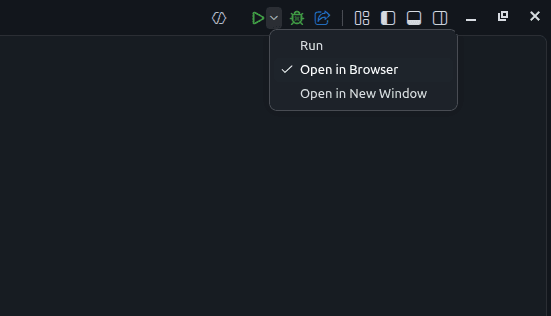
Open it from the Run menu
Use Run, or Open in Browser. When you run Odoo it opens in the built-in browser by default, and you can turn that off in settings.
Step 02
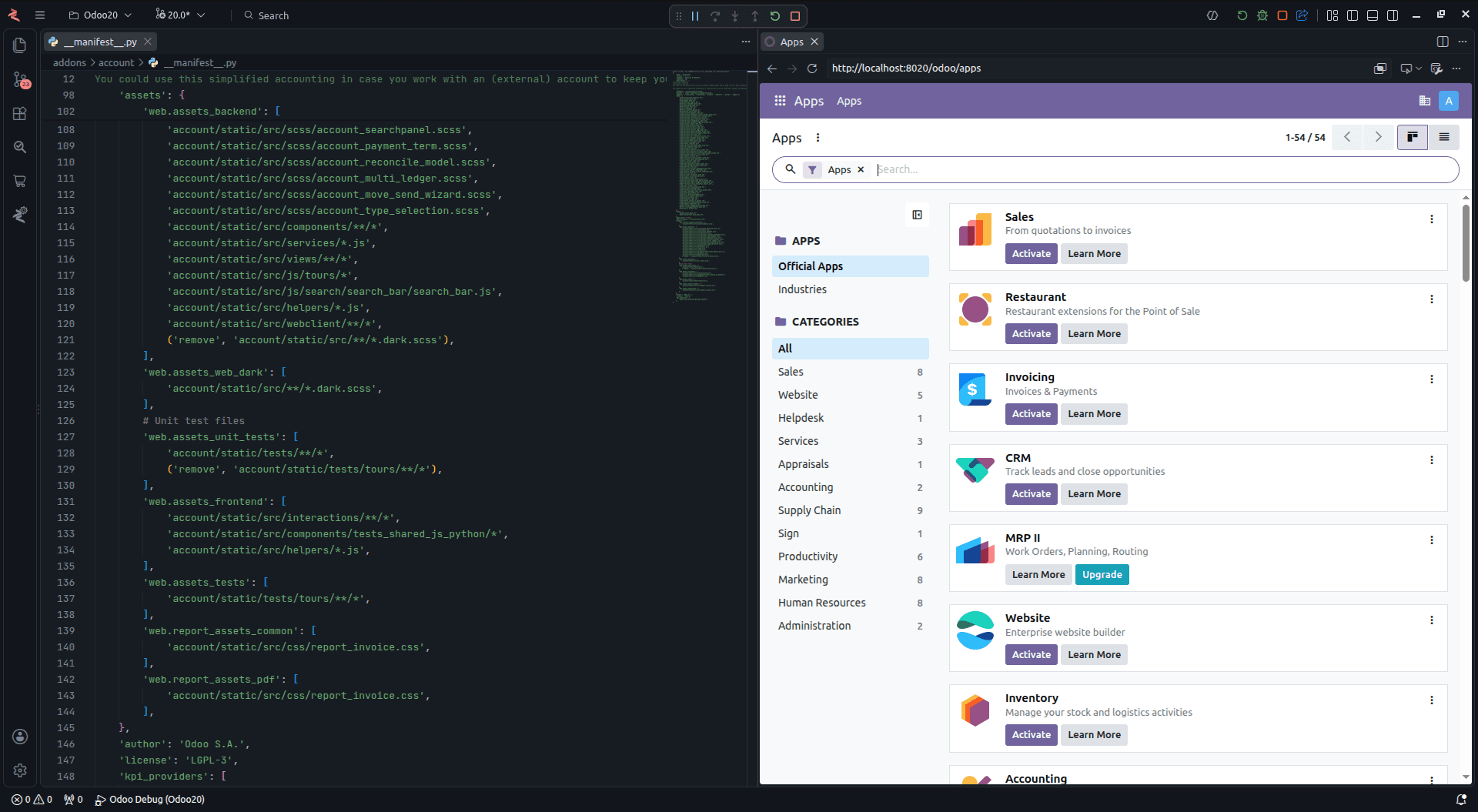
Check your app beside your code
Click through records and screens as a user would while your code stays in view.
Step 03
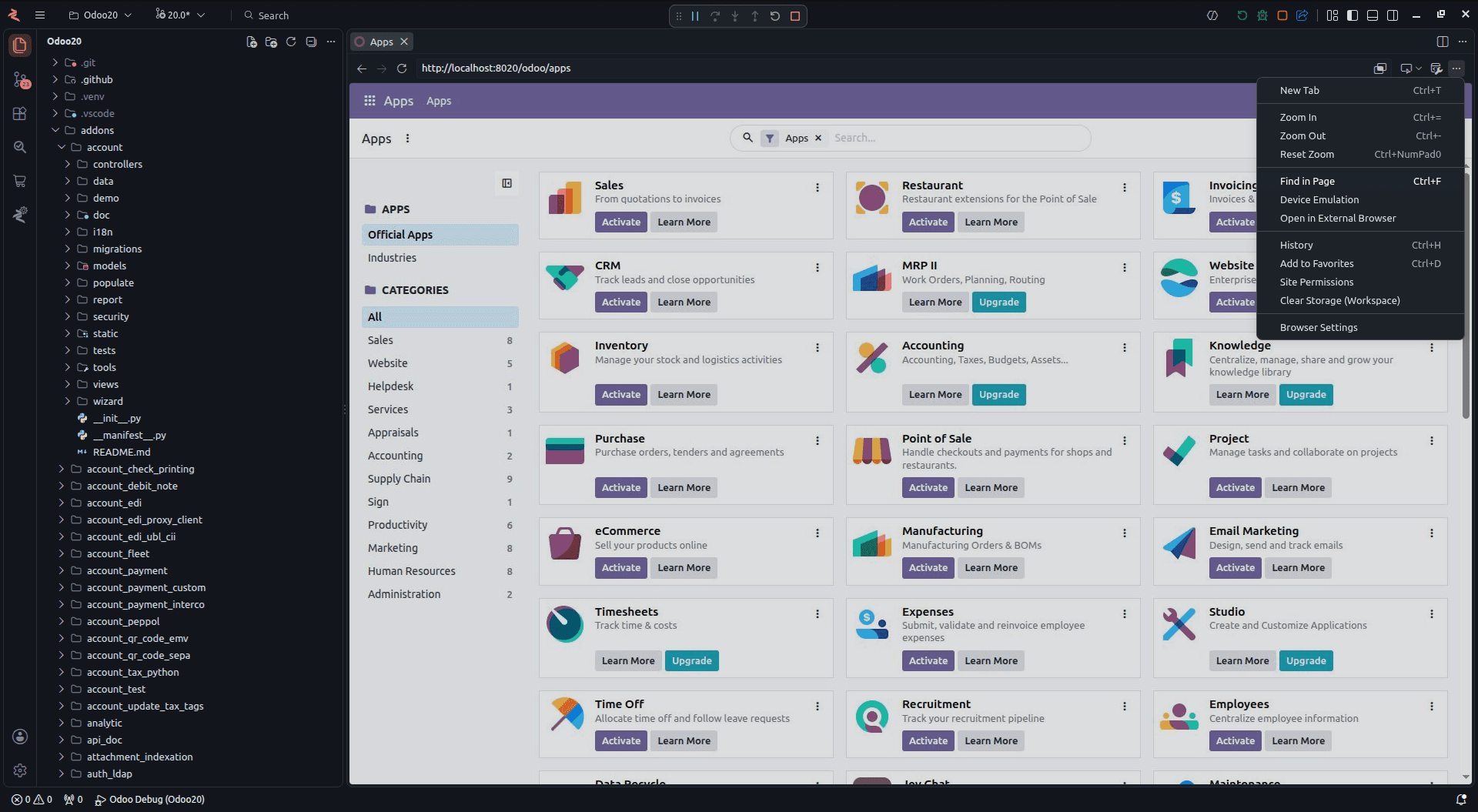
Use its built-in tools
The browser menu has tabs, zoom, find and device emulation, so you can check a change on a phone-sized screen too.
Assista IDE
More from Assista IDE
Assista Coder
The AI agent built into the IDE. Describe what you need and it writes and edits Odoo code with you.
One-Click Environments
Pick an Odoo version. Assista downloads Odoo, sets up its Python packages and prepares debugging.
Code Templates
Type a short keyword for Odoo model and view code, or right-click to create a whole module.
Module Marketplace
Search Odoo modules, filter by version and category, and download them without leaving the IDE.
Module Reviewer
Check a custom module for problems and get a quality report. Runs on your machine and uses no AI tokens.
Local URL to Public
Turn a local Odoo address into a public link you can share for demos and testing.
Ready to try Assista IDE?
Windows (x64) - macOS (Apple Silicon) - Linux (Snap) - Odoo 11 to 20